The Athlon Rangecraft Velocity Pro chronograph now works with LoadNode
Pair it over Bluetooth, sync the sessions stored on it, and watch every shot land in your shot log as you fire. Plus factory ammo and group tests. See what’s new → Update now on iPhone, iPad and Android.

Develop handloads that actually shoot.
LoadNode is the precision reloading app that closes the whole loop: log every charge with live SD & ES, sync your Garmin Xero C1 or C2 or Athlon Rangecraft Velocity Pro, with live capture on the C2 and the Athlon, measure groups straight from a photo, and get an AI read of your dispersion, all on a fast, offline-first app built for serious load development.
See it in action
From the bench to the target: in one app.
Built for the data-driven handloader
Made for people who chase single-digit SDs.
PRS & NRL
Repeatable loads for the clock.
F-Class
Chase elevation out of your ES.
Benchrest
Tune in the tenths.
Long-range hunting
One cold-bore you can trust.
Wildcatters
Any cartridge, your data.
6.5 Creedmoor · 308 Win · 6mm Dasher · 223 Rem · 300 PRC · 6.5 PRC · 22 GT · 6 GT · .338 Lapua · 7 PRC
From load workup to the target: in one place.
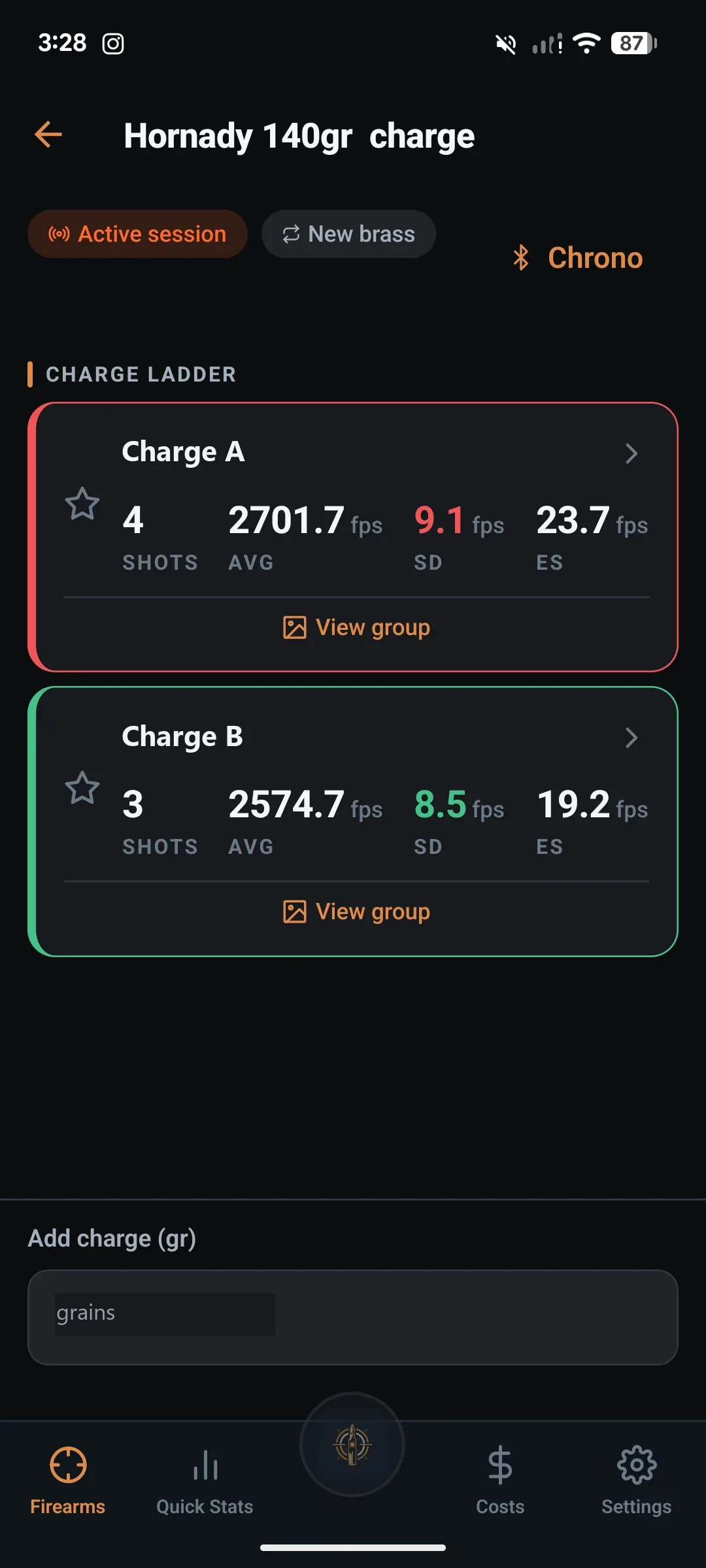
Live SD & ES
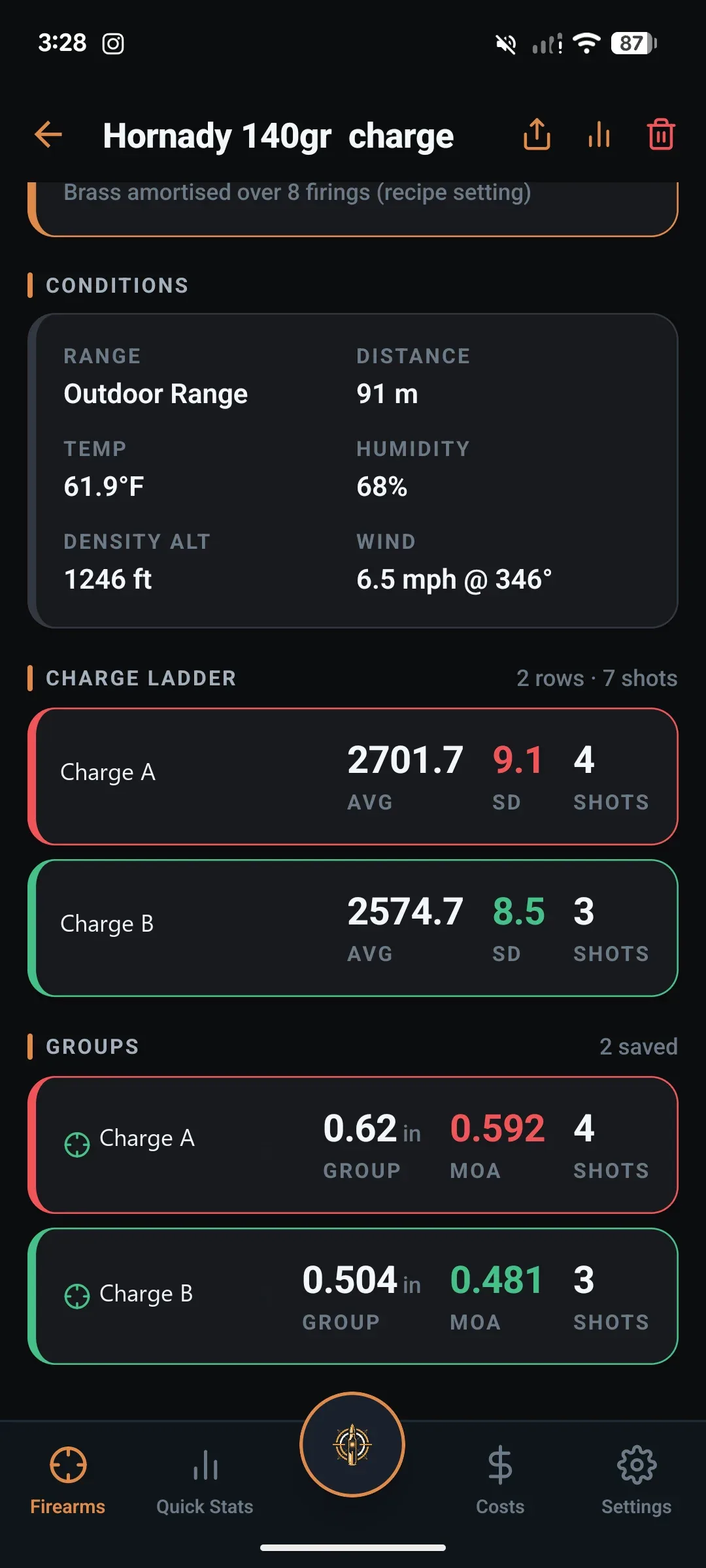
Population standard deviation and extreme spread update as you log each shot: the chronograph-correct stats, with flyer exclusion.
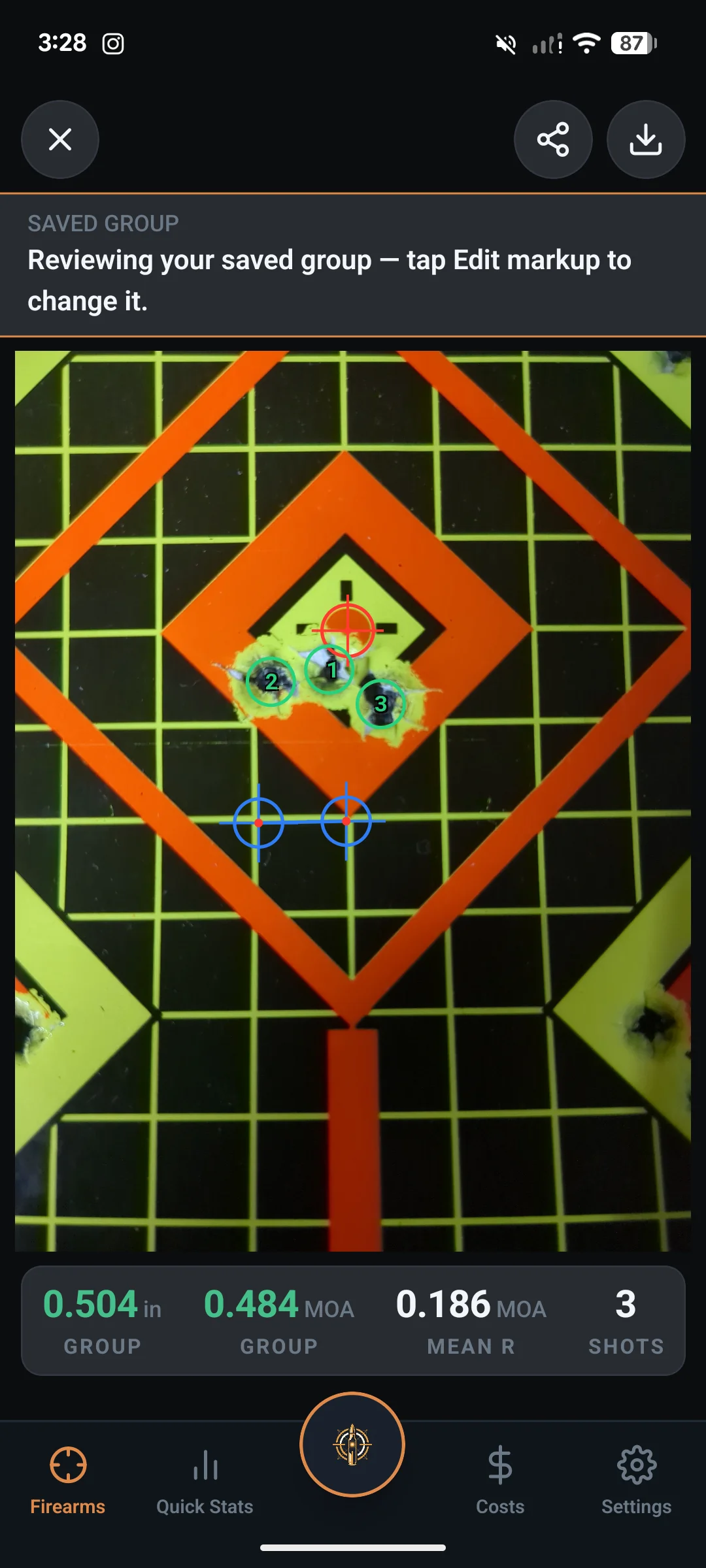
Groups from a photo
Photograph the target, calibrate the scale, tap the holes: center-to-center size, MOA, MIL and mean radius in seconds.
Charge comparison
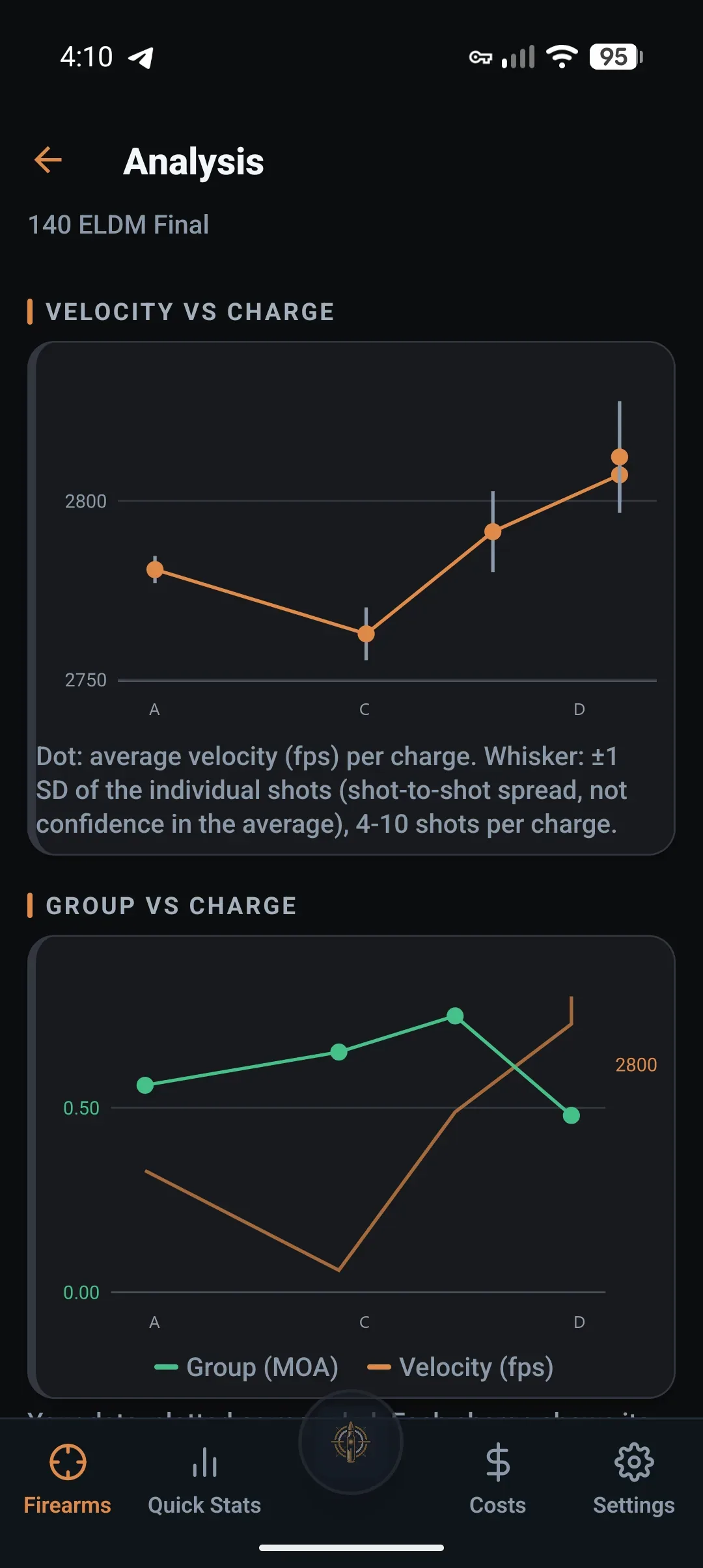
LoadNode pools every group at each charge and reports dispersion as a range, not a single number. It reports which pairs its own data can separate and which it cannot, and crowns a winner in neither case: it never marks a charge as best and never calls one a node. Where the numbers allow, it also says roughly how many rounds at each charge would settle a pair it could not separate. Charges from different load jobs can be put side by side too, with a clear note when the conditions differed enough to matter.
One precision reloading app, bench to target.
We have not found another app that closes this loop end to end. LoadNode does: every step feeds the next, and everything links back to the exact load that produced it.
Build the recipe
Bullet, powder, primer, brass & lots from a real component library.
Set up the job
Jam, seating depth & jump, CBTO math and range conditions.
Shoot the ladder
Velocities sync from your Xero or Athlon; SD/ES update live.
Measure the group
Snap the target, tap the holes, get MOA and mean radius.
Read it with AI
A named dispersion pattern with a confidence level, observations read from your own numbers, and up to three non-load checks.
Track cost & life
Per-round cost, savings vs factory and barrel throat erosion.
Every rifle, barrel and load: organized.
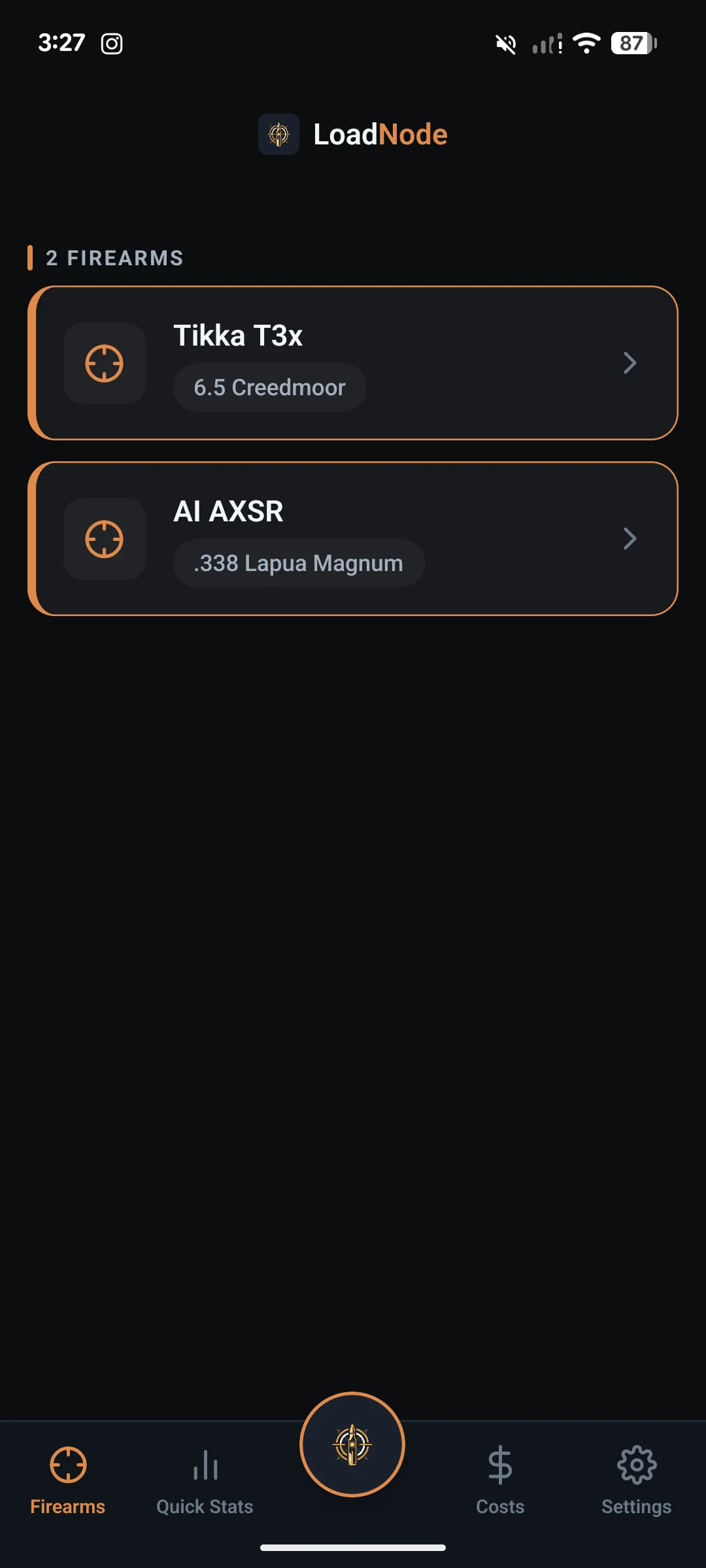
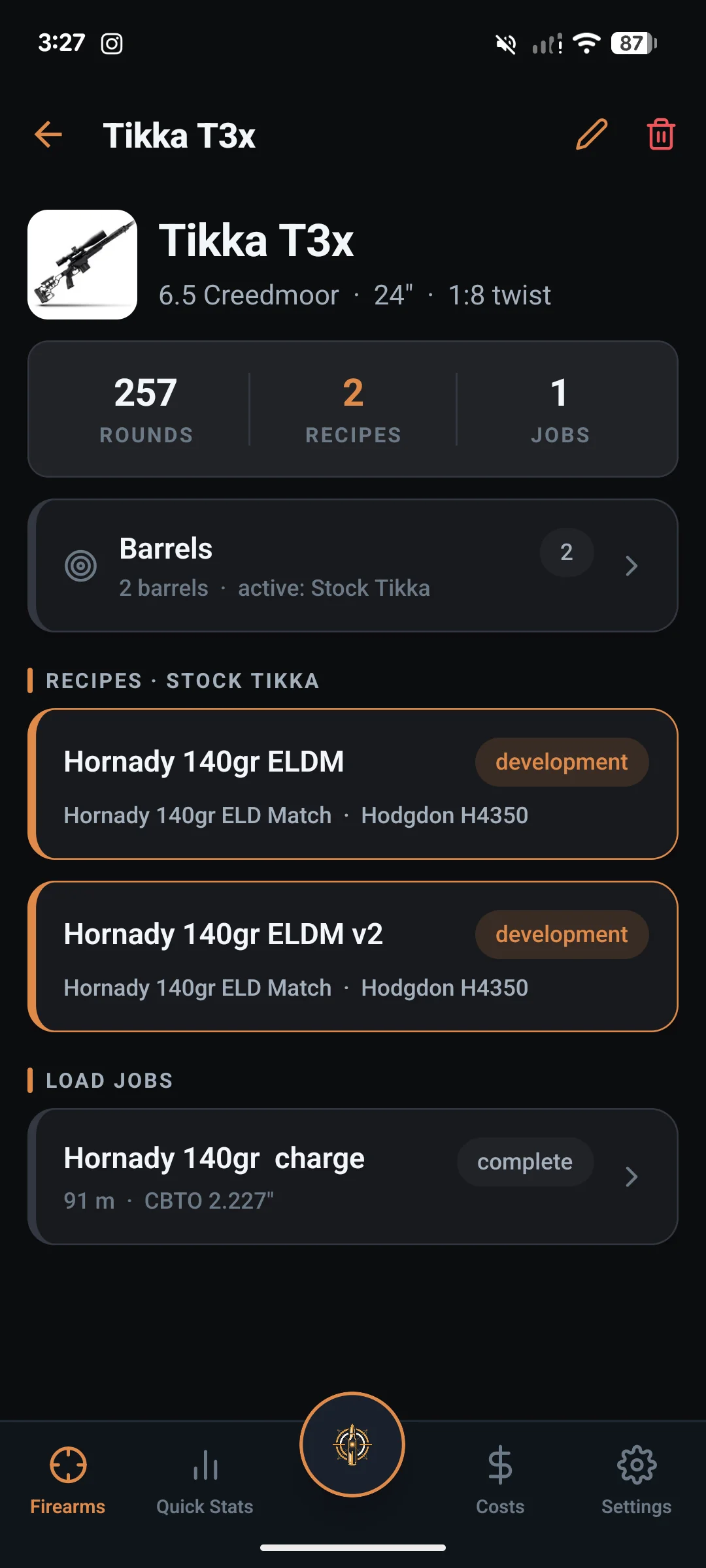
Track each firearm with its cartridge, barrel length and twist, then drill in to rounds fired, recipes and load jobs. Recipes are caliber-scoped and tied to the right barrel, so your 6.5 Creedmoor data never bleeds into your .338. Run a barrel chambered differently from its action and it gets its own bullets, brass and primers, its own hole size on the target, and its own name on every screen.
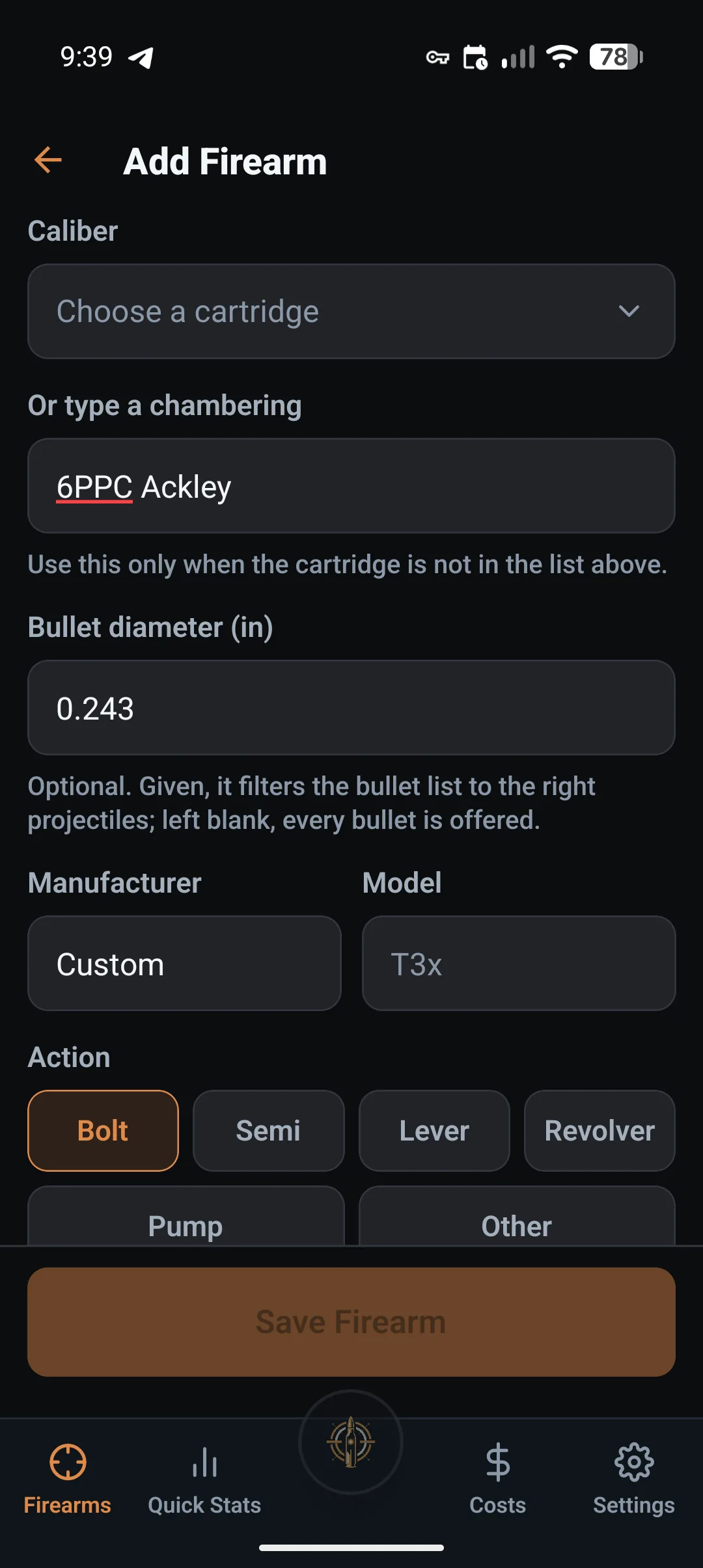
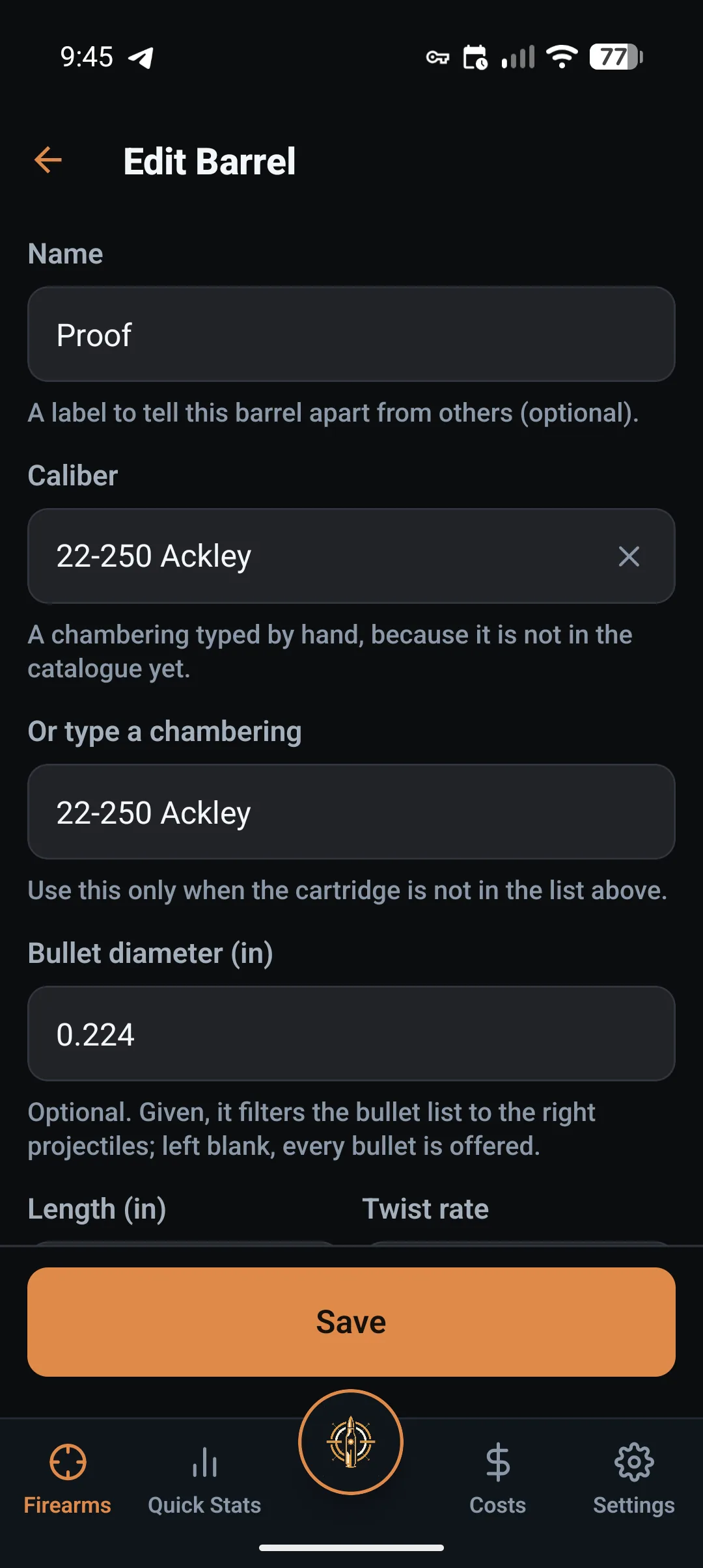
Your chambering, even if it is not in the list.
192 cartridges ship with the app, and a catalogue is still always behind somebody’s chamber. So type yours in: an improved case, a wildcat, a chambering nobody has heard of. Add the bullet diameter and the bullet list filters to the right projectiles; leave it blank and every bullet is offered. The name you typed is what you see from then on, on every screen, report and share card.
The same is true one level down. A swap barrel chambered differently from its action carries its own cartridge, so it gets its own bullets, brass and primers, its own hole size when you measure a group, and its own name, instead of borrowing the rifle’s.
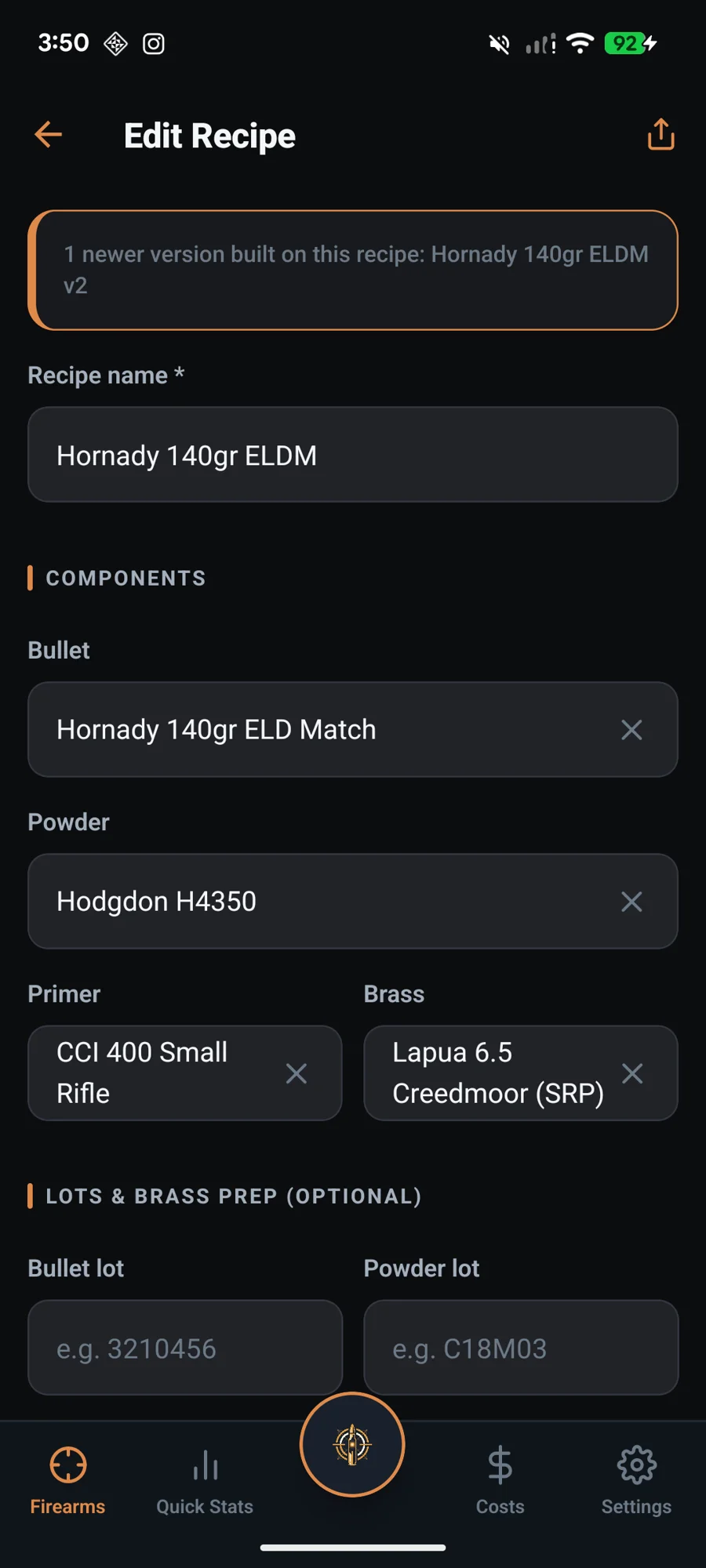
Build loads from a real component library.
Pick your bullet, powder, primer and brass from an offline catalog of 192 cartridges and 198 bullets, no typing brand names from memory. Shooting something the catalog has never heard of? Type the chambering in yourself with its bullet diameter, and the bullet list filters to the right projectiles. Record bullet and powder lots and brass prep, including neck tension (bushing, mandrel, interference or seating force) and shoulder bump, then reuse the recipe across jobs and barrels. Develop from current published data; LoadNode never tells you what to load.
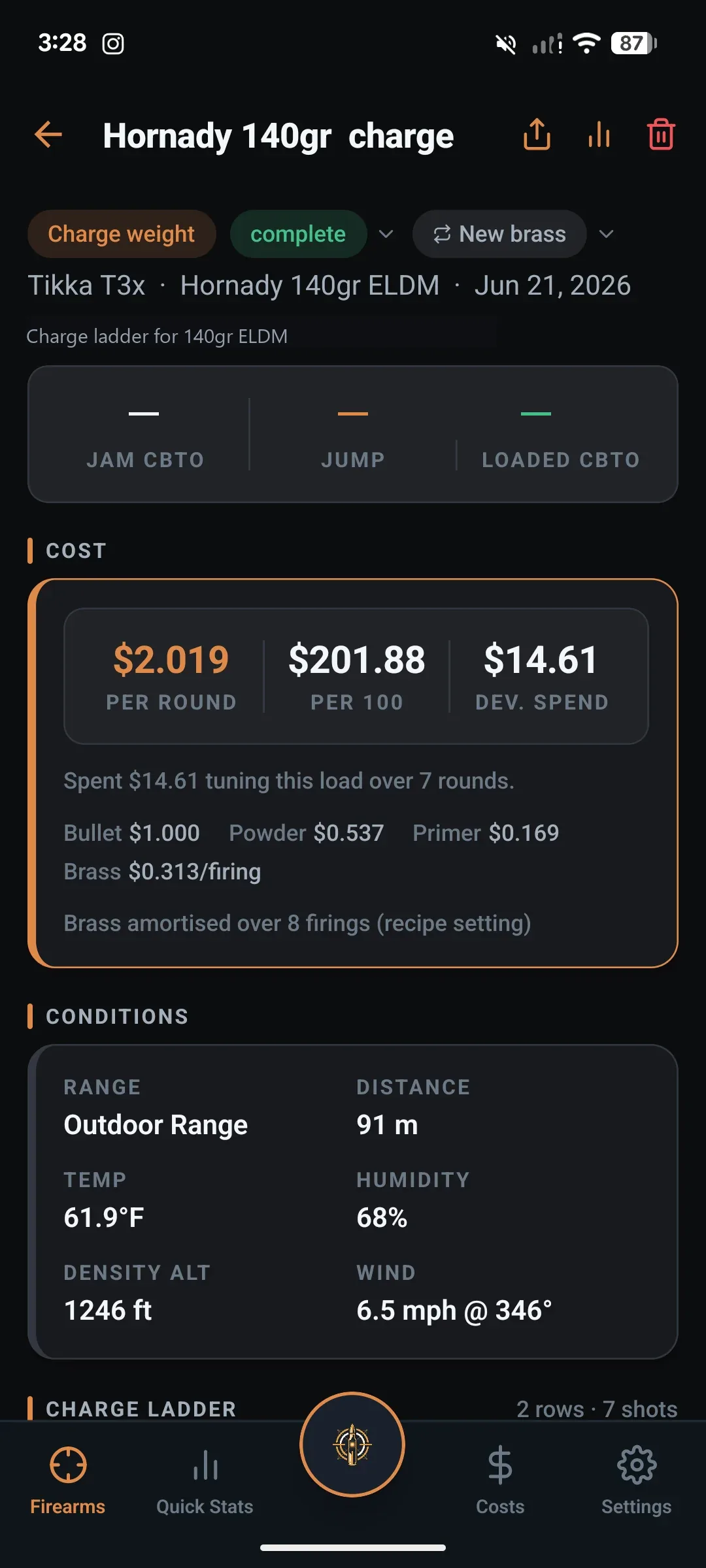
Jam, seating depth and cost: done for you.
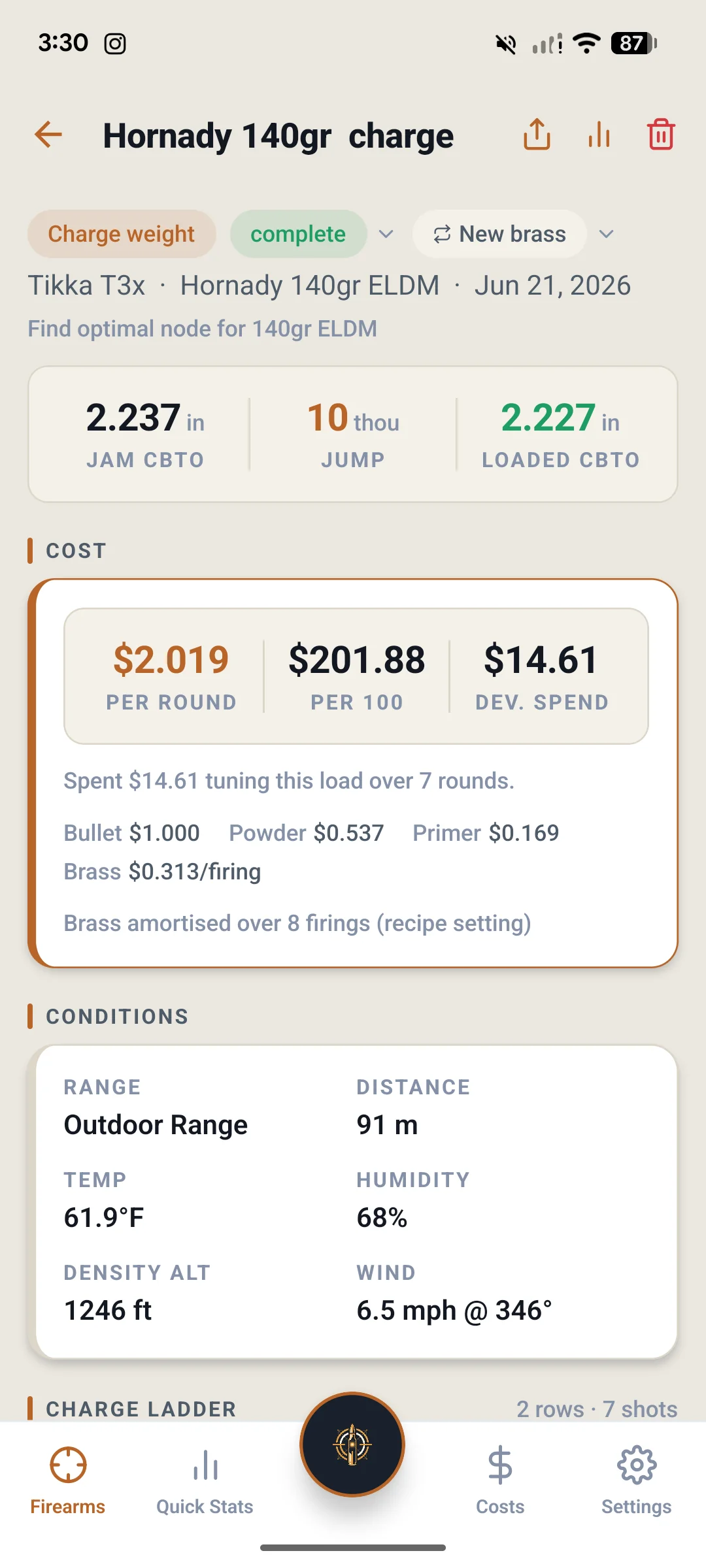
A guided job captures your jam (CBTO) measurement, the jump you want, and computes the resulting loaded CBTO. It logs range conditions (distance, temperature, humidity) and tracks what every round costs you, down to amortized brass. Everything you’d scribble in a notebook, structured and searchable.
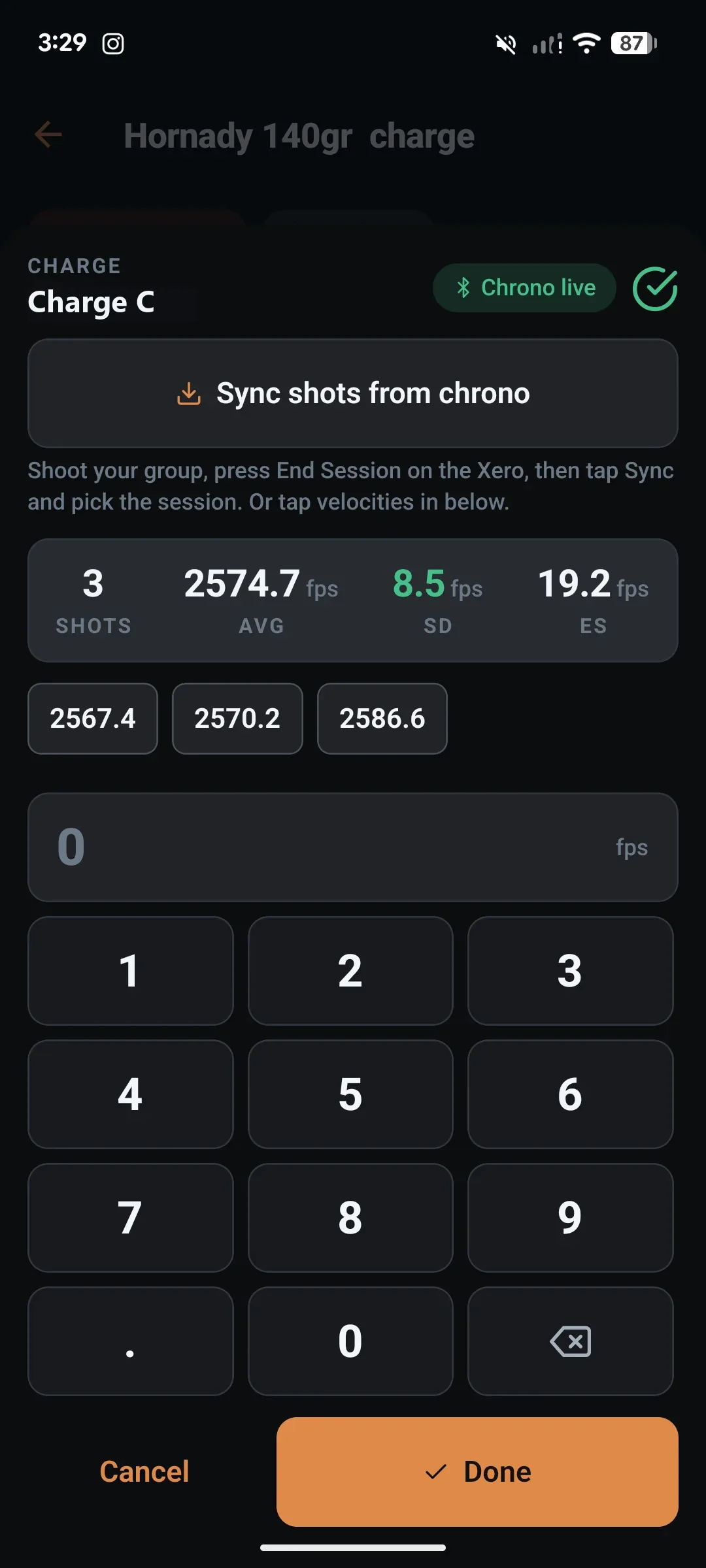
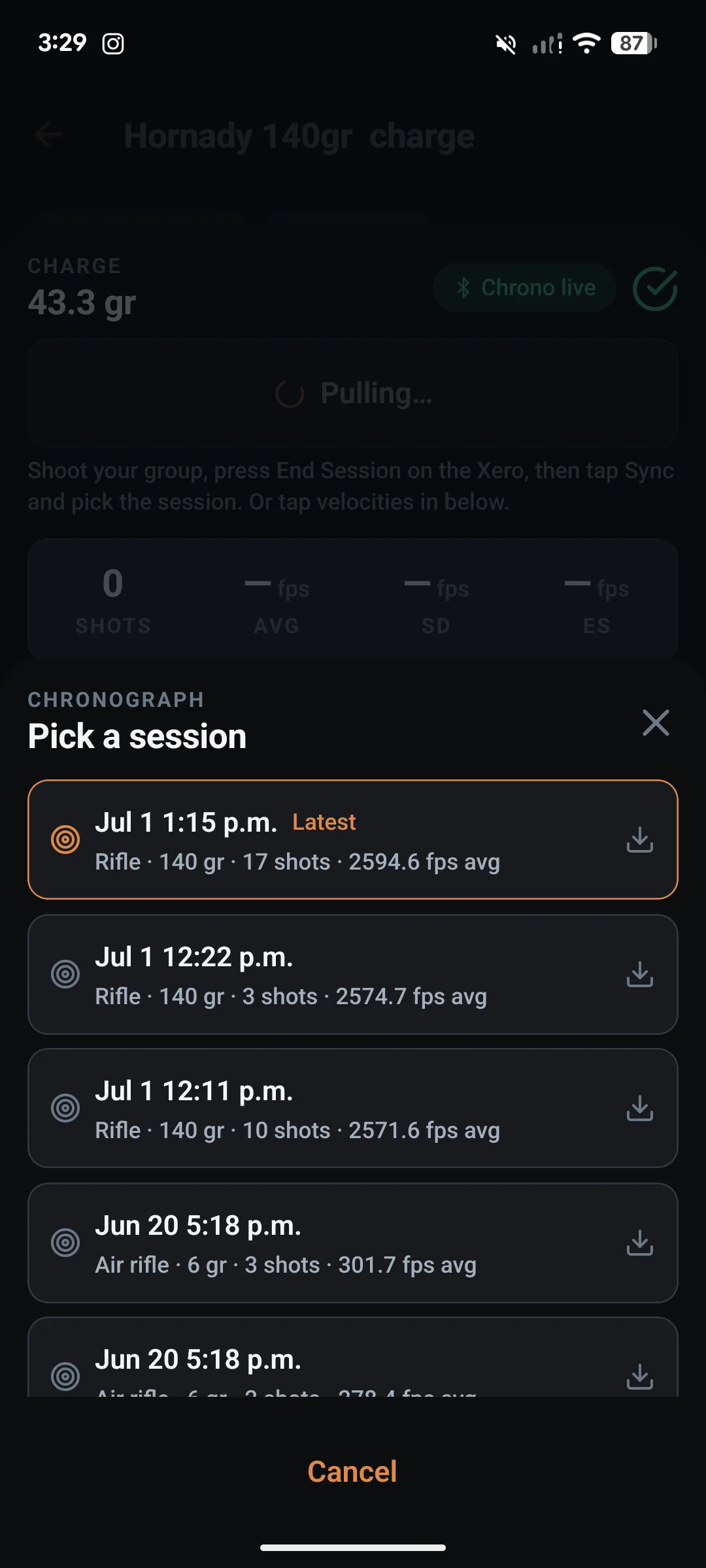
Live SD & ES, straight from your chronograph.
On a Garmin Xero C2, hit Go Live and every shot lands on your charge ladder in real time as you fire. On an Athlon Rangecraft Velocity Pro, start a session on the radar and the shots land on their own. Prefer to sync after, or shooting a C1? End the session on the chronograph and pull the velocities into LoadNode over Bluetooth, with no transcribing numbers off a tiny screen. Or thumb them in with a glove-friendly keypad for any chronograph. Standard deviation, extreme spread and average update with every shot.
Direct sync supports the Garmin Xero C1 and C2 and the Athlon Rangecraft Velocity Pro today, with live capture on the C2 and the Athlon. More chronographs are on the roadmap.
From target to MOA in four taps.
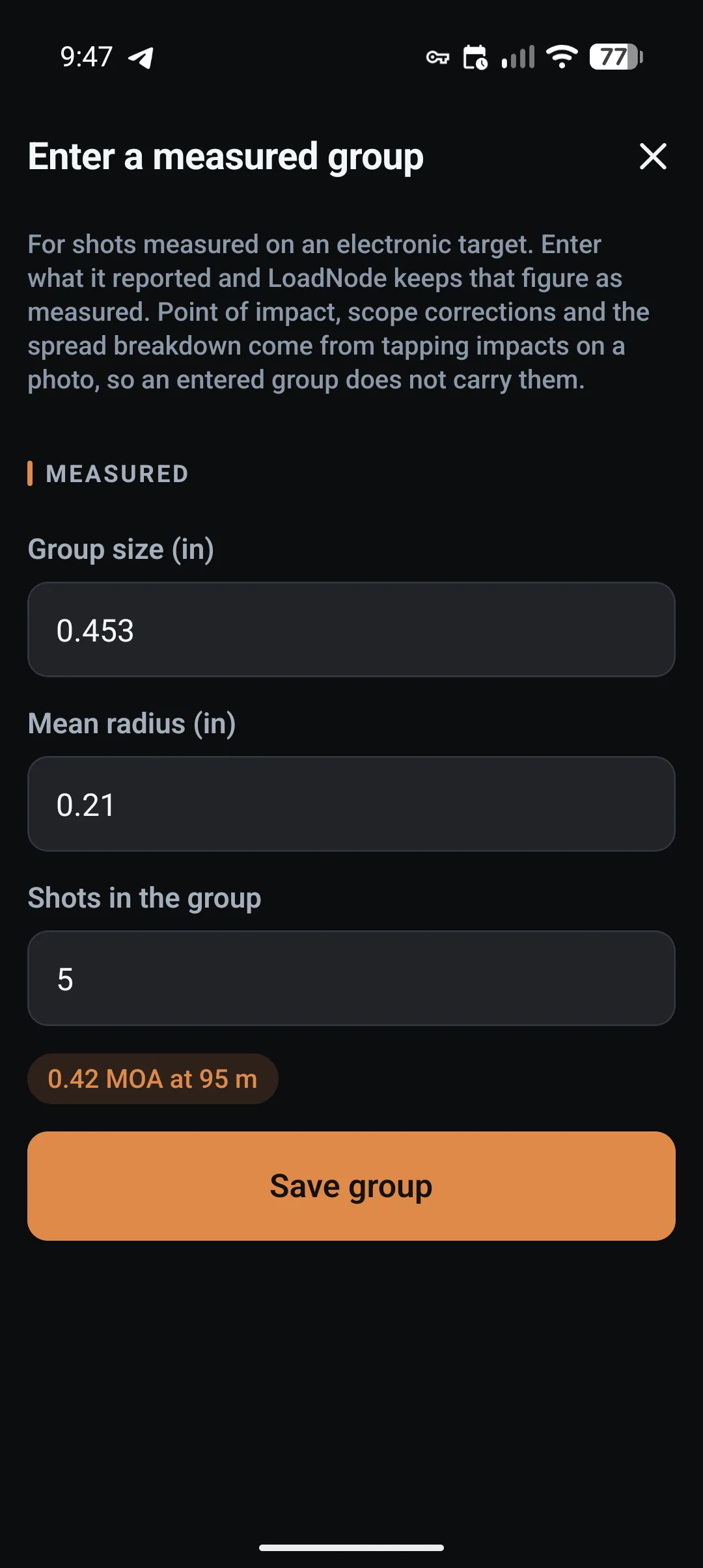
Shoot the target square-on, set a known distance to calibrate, drop your point of aim, and tap each impact. LoadNode computes center-to-center group size, MOA and MIL, mean radius and your point-of-impact offset, then the scope clicks to zero. Mark holes in firing order to correlate each one to its chronograph shot, burn a movable, resizable data overlay onto the photo (it stays pinned where you place it, so it never drifts onto your shots), and export an annotated image or social share card. Already shooting an electronic target? Type its figure in instead: LoadNode records it as entered, works out the angular size from your range, and keeps it beside your photo-measured groups.
Know what your groups can actually tell you.
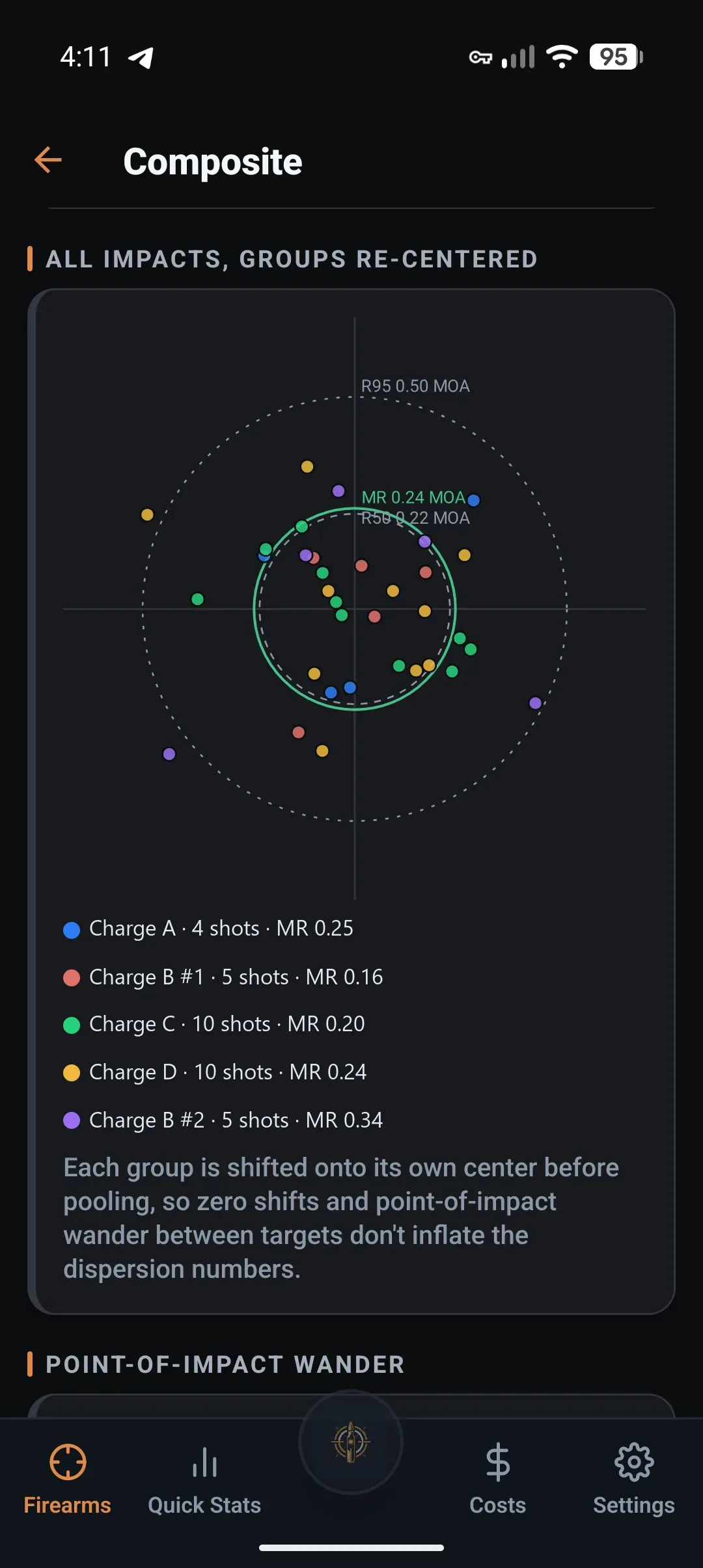
The five-shot group you remember is almost always the one that flattered the load. Composite pools every group you have fired with a load, so it is judged on the 20 to 50 rounds you actually shot.
You get a mean radius with a 95% interval that narrows as you add groups, R50 and R95 read straight off your own shots, and a plain answer to the expensive question: where two charges sit inside the noise, it says roughly how many rounds at each it would take to tell them apart. That is the difference between a useful range trip and a hundred rounds spent proving nothing.
Each group is re-centered on its own centre first, so a shifted zero is never counted as dispersion, and the movement that removes gets its own card. It never names a winner and never calls a charge a node: the numbers get solid, the decision stays yours. How the maths works.
A coach’s read of every group.
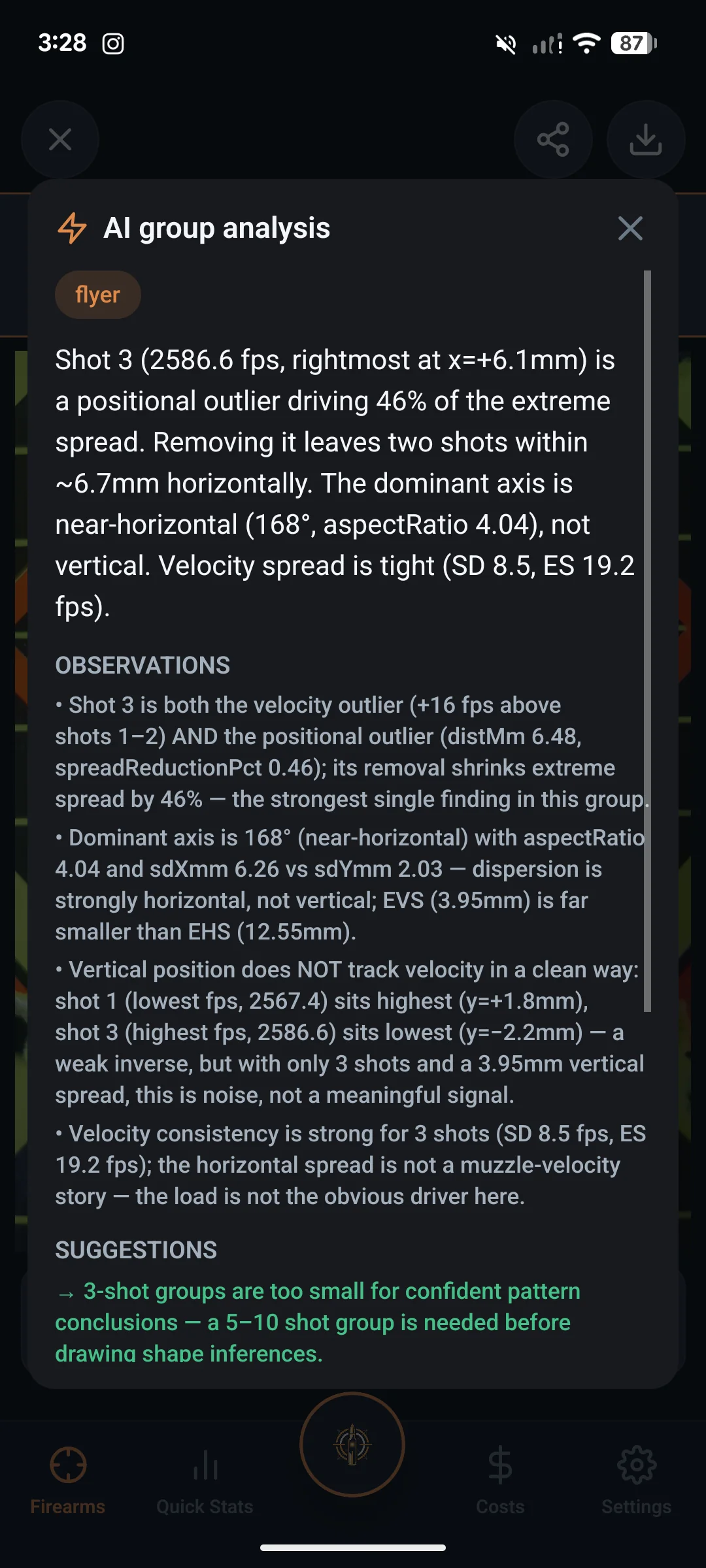
LoadNode feeds your group geometry and your correlated chronograph data to an AI that reads the dispersion like a coach: is it vertical stringing from velocity spread, a horizontal wind column, or one true flyer? You get a plain-English diagnosis, the observations behind it, and a short list of measurement and technique checks worth ruling out before you read anything into the shape: never load data, never a recipe, never a charge to try next. A saved analysis tells you when the group or its shots have changed since it was written, so you know when it is worth running again. Pro includes 10 analyses, granted once on purchase; top up any time with credit packs that never expire. See how AI group analysis reads your groups →
Know what your handloads cost, and what you save.
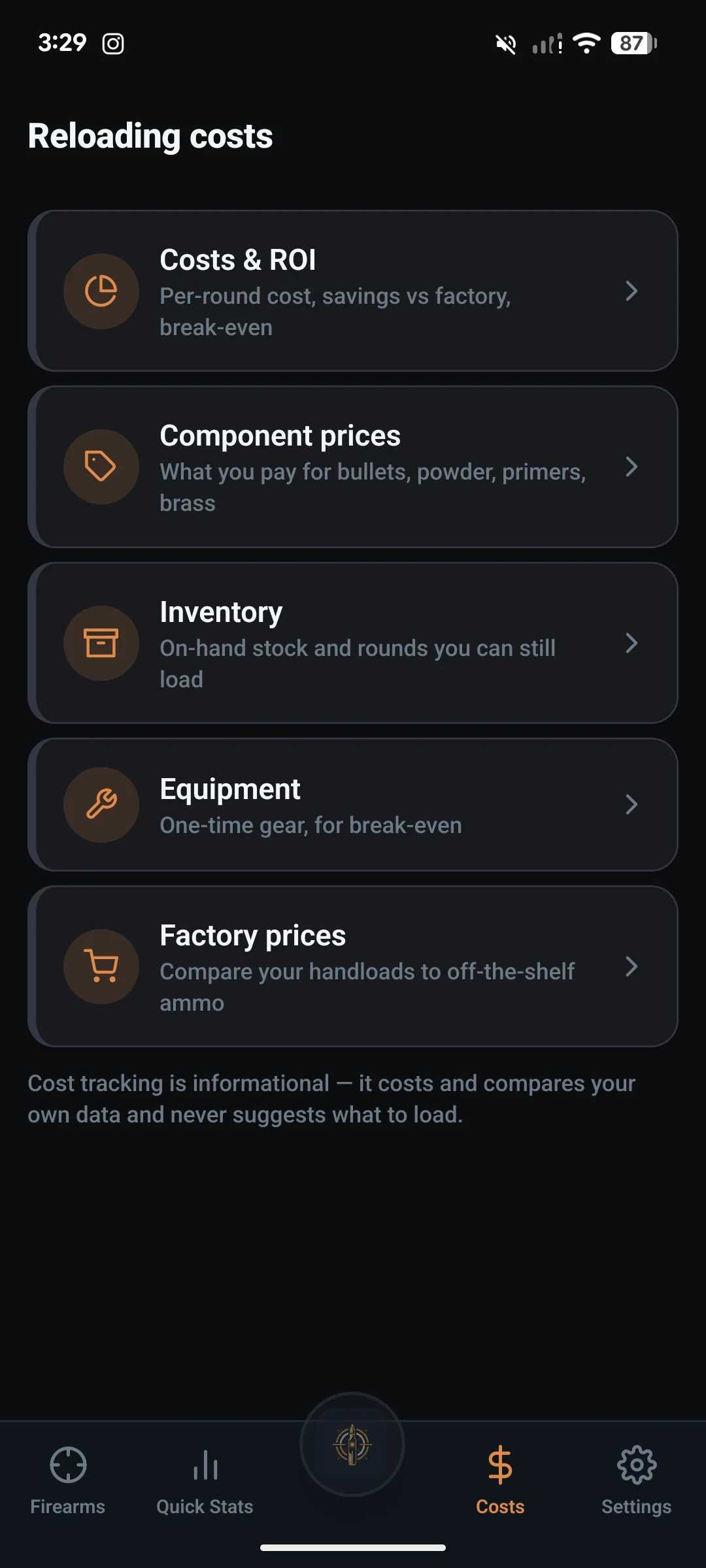
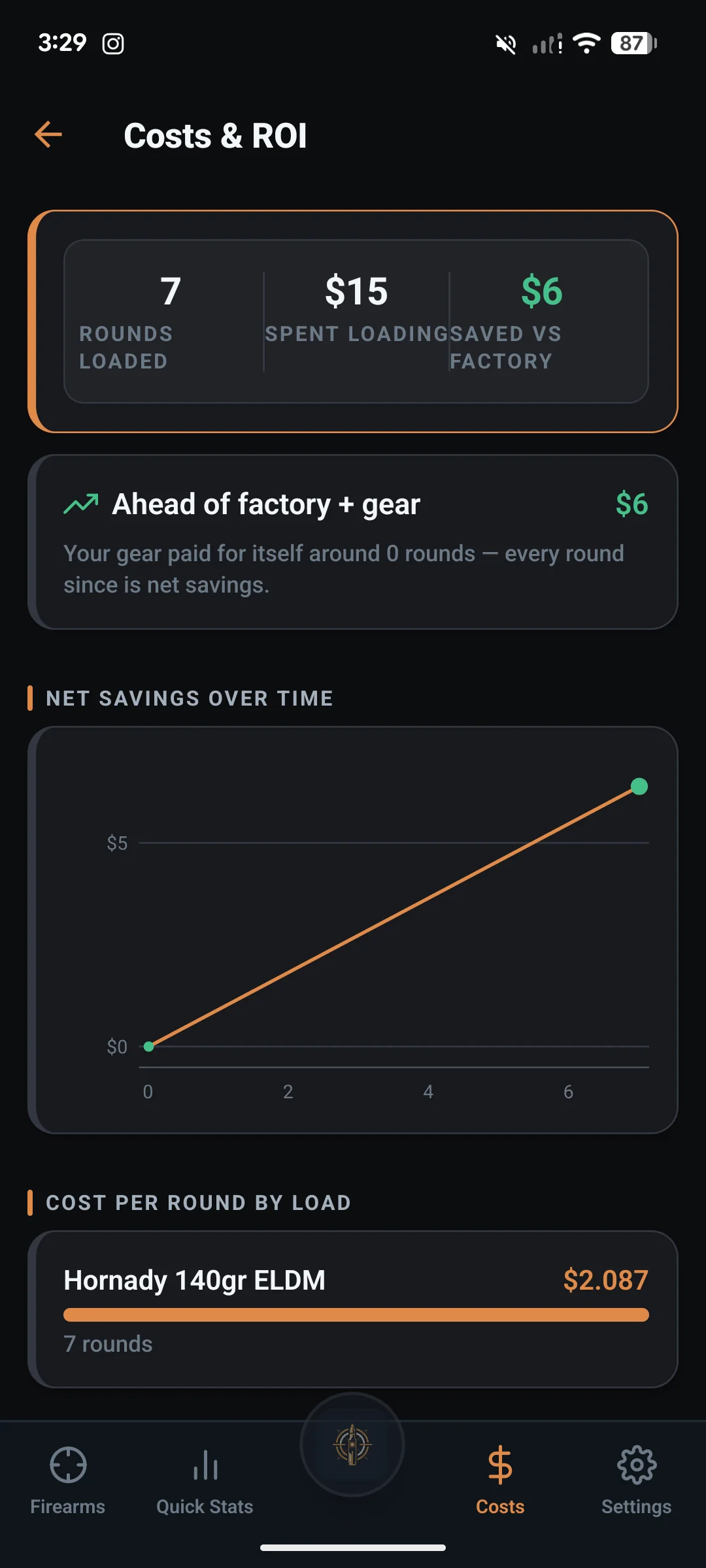
LoadNode prices every round from your component costs and amortized brass, tracks development spend, and shows your savings vs factory ammo and when your gear pays for itself. A price book and inventory tell you what’s on the shelf and how many rounds you can still load. It costs and compares your own data, and never suggests what to load.
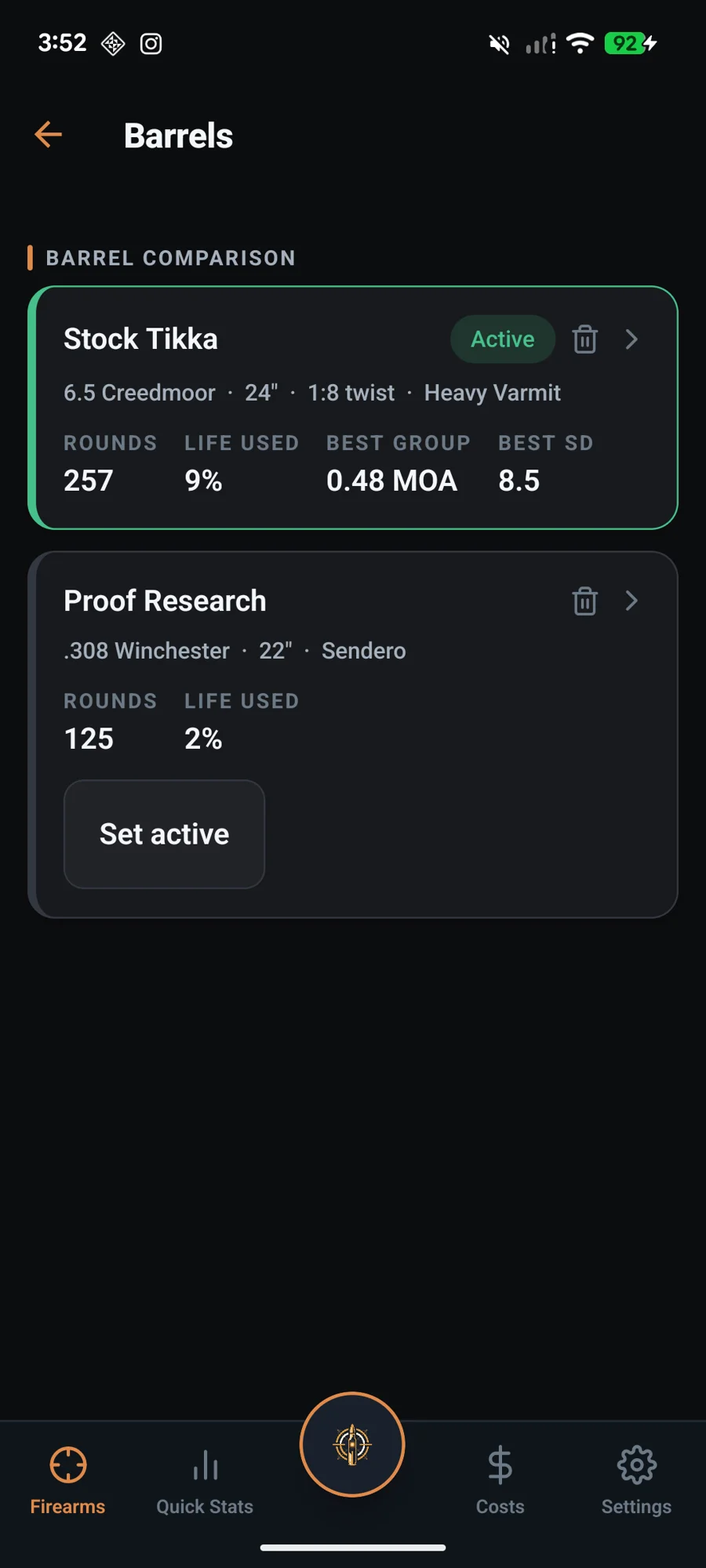
Track every barrel’s life and bests.
Run multiple barrels under one rifle, each with its own caliber, round count, best group and best SD. LoadNode tracks throat erosion against round count over the barrel’s life, the question every barrel owner has, and when you retire a barrel, you choose whether to keep its history or clear it.
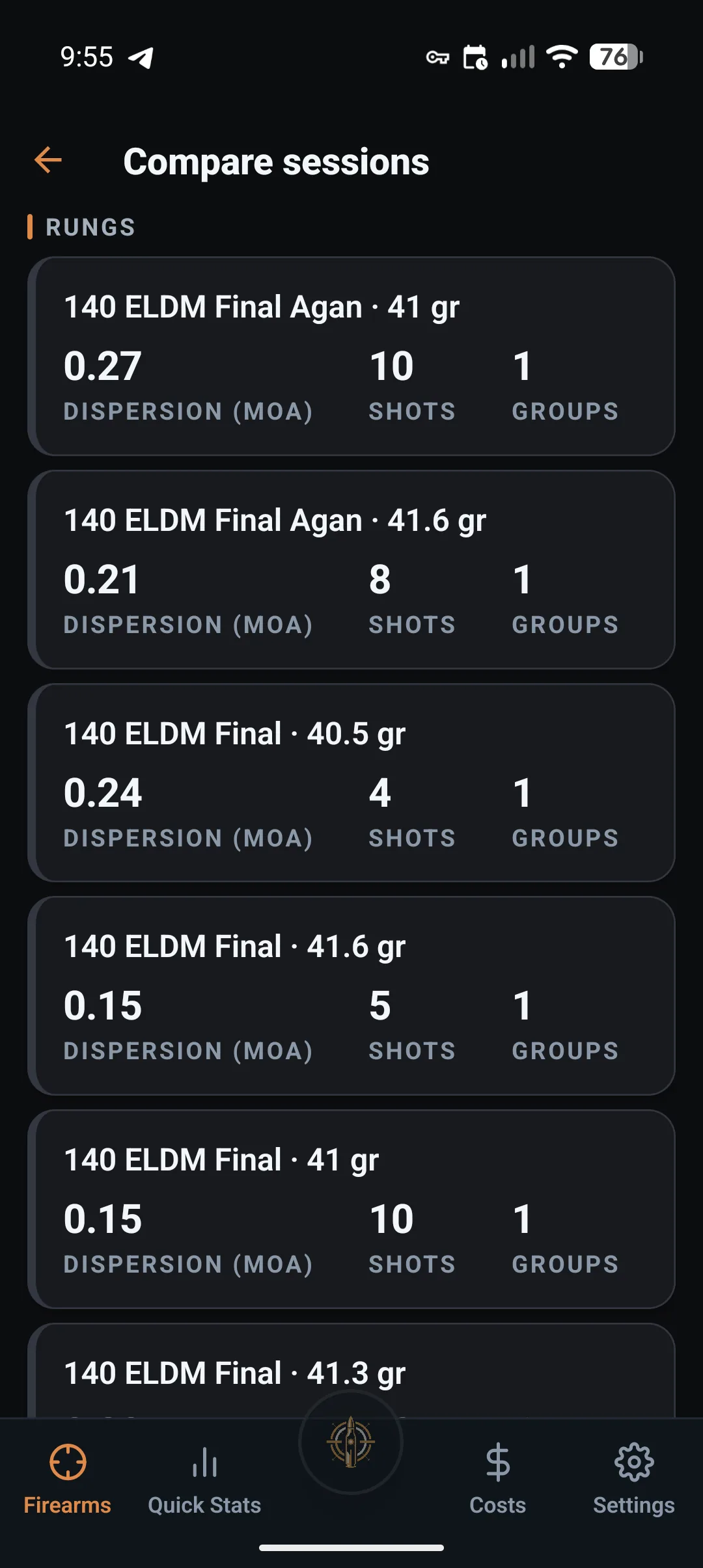
Put two range days side by side. Then take it all with you.
Load development rarely fits in one session. Compare sessions puts the charges from different load jobs next to each other, each with the dispersion your own shots support and the number of rounds behind it, and says plainly when the conditions differed enough between those days that the comparison needs salt. As everywhere else in LoadNode, it reports what your data can and cannot separate and never names a winner.
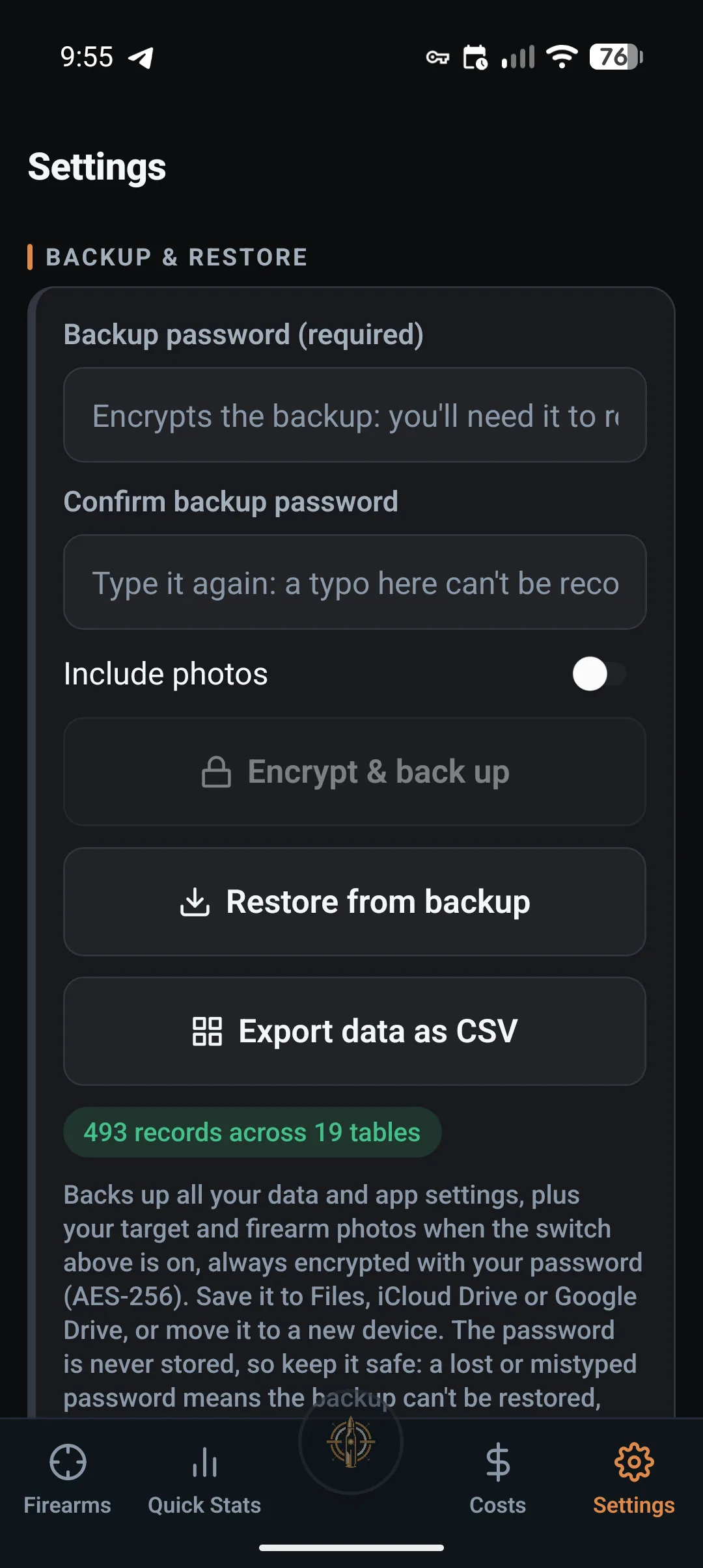
And your records stay yours in a form anything can read: Pro exports the whole logbook as plain CSV, with a short guide to how the files join up, so it opens in any spreadsheet. The password-encrypted backup carries the same records and stays free on every tier.
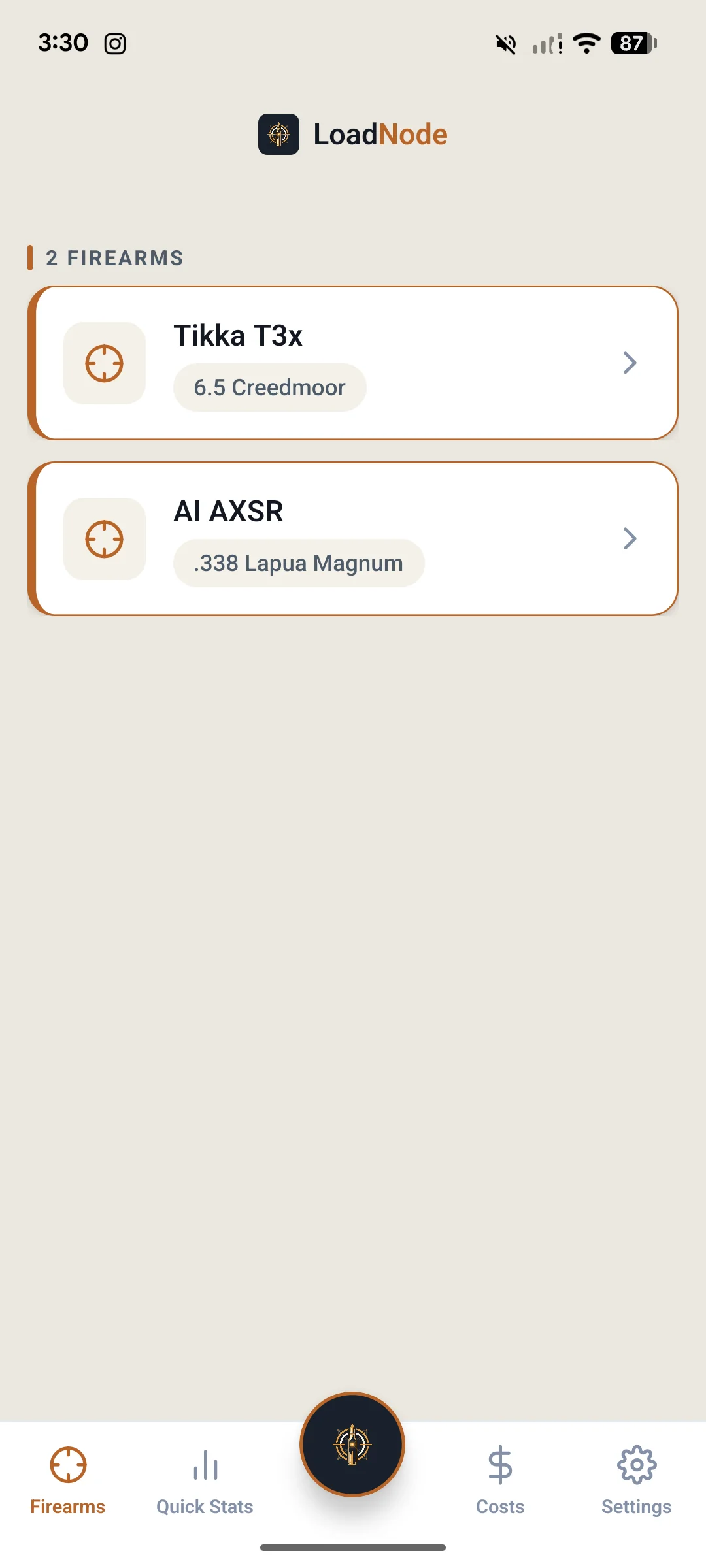
Light or dark. Online or Off. Always yours.
LoadNode is local-first: your data lives on your device, and everything except AI group analysis, cloud sync and the optional weather autofill works with no signal at the range: density altitude is worked out on your phone from the conditions you enter. Every figure follows the units you chose in Settings, MOA or MIL, inches or centimetres, fps or metres per second, all the way through the charts, the PDF reports and the home-screen widget. Pro adds an option to sync reloading data across your devices (data and settings) and photo backup so you can pick up on any device, and password-encrypted backup and restore is free for everyone. Every backup is sealed with your password (AES-256), so your data is portable but never held hostage. Pro also exports the whole logbook as plain CSV, with a short guide to how the files join up, for anyone who wants their records in a spreadsheet of their own. No ads. No analytics profile. No cross-app tracking. We never sell your data.
Your trophy room, built from real shooting.
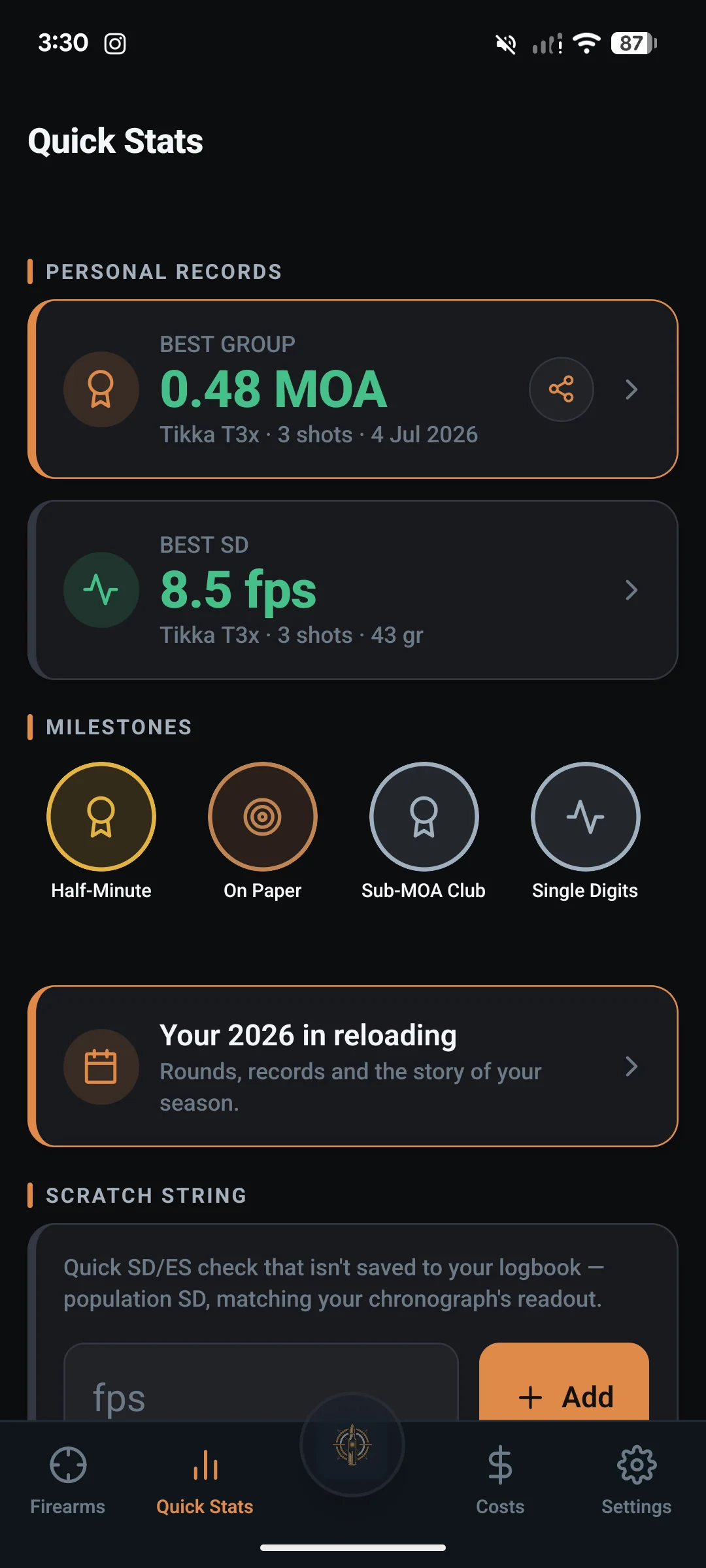
Quick Stats turns your logbook into the story of your shooting: personal records (best group, best SD: overall and per rifle, tap straight through to the target), milestone medals held to a higher bar than your records (a group medal needs 5+ impacts, and an SD medal needs 10+ shots with the whole 95% interval under the line, so no 3-shot fluke earns gold), and Your Reloading Year: a season recap with your rounds, records, consistency trend and powder of the year. Share a record as a branded card the moment you set it.
Your whole library. One binder-ready PDF.
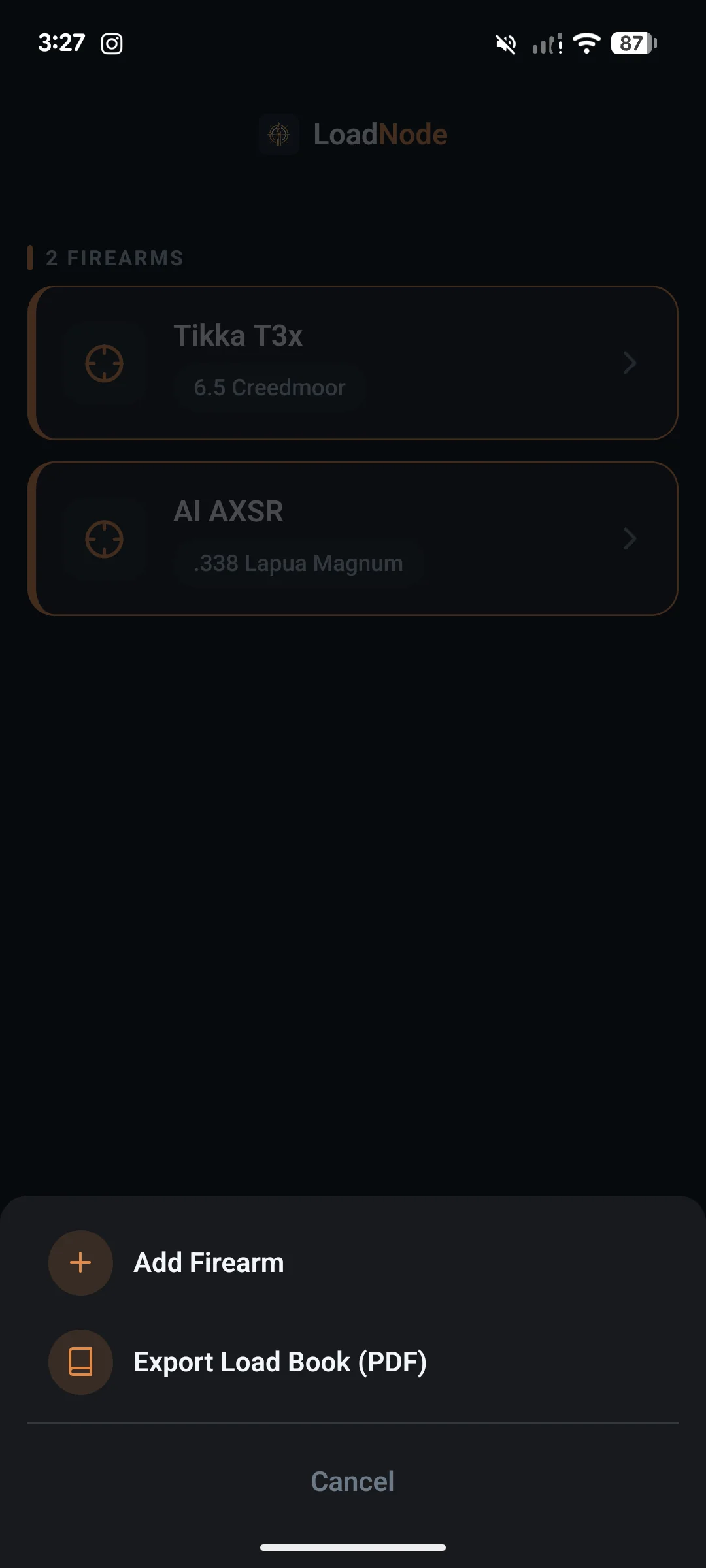
One tap exports everything you’ve built: every rifle with its barrels and round counts, every recipe with components, lots, seating and confirmed velocity, plus the observed best group and best SD from your actual sessions. Print it for the bench binder, archive it, or hand it to your gunsmith. Per-session PDF reports and a printable range card (with your latest scope correction and the conditions the load was proven in) round out the paperwork, all branded, all yours.
Load development is iterative. Your recipes should be too.
Duplicate & tweak clones a recipe as v2: same components, pointed at its parent, with the proven numbers reset (the copy has to earn its own). The editor shows exactly what changed between versions: charge, seating, primer, lots, annealing, as clean diff chips. No more guessing which tweak got you from 0.9 to 0.5 MOA; the lineage tells the story.
Buy it once. It’s yours forever.
No subscription, anywhere. One payment unlocks the whole suite for life: cloud sync included, and 10 AI group analyses granted once on purchase (top up later with optional credit packs if you want more). Updates included too.
For keeping a clean logbook.
- Up to 2 firearms, with recipes & load jobs
- One recipe across several firearms
- Charge ladders with live SD & ES
- Measure a group’s size, MOA & MIL
- Offline component catalog
- Free encrypted backup & restore
The whole bench-to-target toolkit, forever.
- Everything in Free, unlimited
- Multi-barrel + throat-erosion tracking
- Parts & setup list per firearm
- Save & link groups, annotated export, share cards
- Garmin Xero & Athlon sync, charge comparison & charts
- Cost tracking, ROI & inventory
- AI group analysis (10 analyses included)
- Cloud sync (data + settings) + photo backup (no subscription)
Need more AI? Top up. Credits never expire.
Pro includes 10 AI analyses, granted once on purchase. During a heavy load-development season, add a pack of extra analyses. One credit = one AI group analysis. Buy once, use whenever: credits never expire and stack on top of the ten that came with Pro.
Everything you get, side by side.
| Feature | Free | Pro Lifetime |
|---|---|---|
| Logbook & organization | ||
| Firearms tracked | Up to 2 | Unlimited |
| Component recipes (bullet, powder, primer, brass, lots) | ✓ | ✓ |
| Factory ammunition as a load (maker, bullet, lot), kept out of your inventory | ✓ | ✓ |
| One recipe on several firearms of the same cartridge, results kept per firearm | ✓ | ✓ |
| Recipe versions: Duplicate & tweak with spec diffs | – | ✓ |
| Neck-tension tracking (bushing / mandrel / interference / seating force) + neck-tension test | – | ✓ |
| Shoulder-bump tracking | – | ✓ |
| Primer-seating depth tracking & ladders | – | ✓ |
| Parts & setup list per firearm, copied into every session | – | ✓ |
| Load jobs (charge weight, seating depth, jump) | ✓ | ✓ |
| Offline catalog: 192 cartridges, 198 bullets, powders, primers, brass | ✓ | ✓ |
| Add your own chambering, with its bullet diameter | ✓ | ✓ |
| Every figure in your units (MOA/MIL, in/cm, fps/m per s), charts, PDFs & widget included | ✓ | ✓ |
| Multi-barrel profiles per firearm | – | ✓ |
| A barrel chambered differently from its firearm, with its own components | – | ✓ |
| Barrel life & throat-erosion timeline | – | ✓ |
| Light & dark themes | ✓ | ✓ |
| Works offline (everything except AI analysis, cloud sync & weather autofill) | ✓ | ✓ |
| Velocity & chronograph | ||
| Charge-ladder sessions | ✓ | ✓ |
| Group test sessions: strings of one load, no ladder | ✓ | ✓ |
| Build a ladder at the bench: add several rungs in a row, on every ladder type | ✓ | ✓ |
| Live SD, ES & average (population stats, flyer exclusion) | ✓ | ✓ |
| Glove-friendly velocity entry | ✓ | ✓ |
| Garmin Xero C1 & C2 chronograph sync (Bluetooth) · live capture on the C2 | – | ✓ |
| Athlon Rangecraft Velocity Pro chronograph sync (Bluetooth) · live shots while a session runs on the radar | – | ✓ |
| Charge comparison with confidence intervals | – | ✓ |
| Compare charges across different load jobs, with a note when conditions differed | – | ✓ |
| Compare whole loads side by side, each with its confidence interval | – | ✓ |
| Dispersion & group-vs-charge charts | – | ✓ |
| Group measurement: the target-cam | ||
| Measure a group from a photo: size, MOA & MIL, mean radius | ✓ | ✓ |
| Point-of-impact offset + scope-click correction | ✓ | ✓ |
| Save & auto-link groups to the exact load | – | ✓ |
| Mark impacts in firing order (shot-by-shot) | ✓ | ✓ |
| On-photo data overlay (info box) | ✓ | ✓ |
| Annotated image export & social share cards | – | ✓ |
| Composite (pooled groups): mean radius, R50/R95 & per-axis spread pooled across your measured groups | – | ✓ |
| AI & analysis | ||
| AI group analysis (dispersion diagnosis + measurement & technique checks) | – | 10 included, one-time |
| Shot↔velocity correlation feeding the AI | – | ✓ |
| Extra AI analyses | – | Credit packs · never expire |
| Records, milestones & recap | ||
| Personal records (best group & best SD, per firearm) | ✓ | ✓ |
| Milestone medals (Sub-MOA Club, Match Grade SD…) | – | ✓ |
| Your Reloading Year: season recap | – | ✓ |
| Needs-attention alerts (barrel life, hard-worked brass) | – | ✓ |
| Record share cards | – | ✓ |
| Home-screen widget (Android) | – | ✓ |
| Cost & ROI | ||
| Per-round cost & cost per 100 | – | ✓ |
| Savings vs factory + break-even | – | ✓ |
| Factory box pricing: cost per round, per 100 and per session | – | ✓ |
| Your own factory ammo price for any cartridge, including one you typed in | – | ✓ |
| Component price book & inventory | – | ✓ |
| Cost-vs-consistency analysis | – | ✓ |
| Data, cloud & sharing | ||
| Encrypted backup & restore (own your data) | ✓ | ✓ |
| Export your whole logbook as plain CSV, with a guide to the files | – | ✓ |
| Cloud sync across devices (data + settings) | – | ✓ |
| Cloud photo backup | – | ✓ |
| PDF reports (session + range card with corrections) | – | ✓ |
| Load Book: your whole library as one PDF | – | ✓ |
| No ads, no analytics profile, no cross-app tracking, no data selling | ✓ | ✓ |
Frequently asked questions
Is LoadNode free?
Yes: the free tier is a full logbook for up to two firearms, with recipes and load jobs, charge ladders with live SD/ES, group measurement in inches and MOA, and password-encrypted backups of your data. LoadNode Pro is a one-time purchase that unlocks the whole suite forever: unlimited firearms, chronograph sync, charge comparison, cost tracking, cloud sync and AI group analysis. No subscription. You do not need an account to start: the logbook works the moment you install it, and LoadNode is out now on the App Store and Google Play.
Is there a subscription?
No. LoadNode Pro is a single one-time purchase ($29.99 at launch, $39.99 regular, shown in USD: your store charges in your own currency and shows the exact price before you buy) and it’s yours for life, updates included. Cloud sync and AI are part of Pro, not a separate monthly fee. The 10 AI analyses Pro includes are granted once on purchase; if you want more after that, you can buy consumable credit packs that never expire. We built it this way on purpose: handloaders hate subscriptions, and so do we.
Does it work offline?
Almost entirely. LoadNode is local-first: your data lives on your device, and logging, chronograph capture, group measurement and every calculation work with no signal at the range. Only AI group analysis, cloud sync and the optional weather autofill need a connection, and all three are optional. Encrypted backup and restore is free for everyone and works offline.
How does measuring a group from a photo work?
Photograph the target square-on, set a known distance to calibrate the scale, mark your point of aim, and tap each bullet hole. LoadNode computes center-to-center group size, MOA and MIL, mean radius and your point-of-impact offset, and the scope clicks to zero. Mark the holes in the order you fired them and each one correlates to its chronograph shot for shot-by-shot analysis.
Which chronographs does it sync with?
LoadNode connects directly over Bluetooth to the Garmin Xero C1 and C2 and to the Athlon Rangecraft Velocity Pro. Pull a saved session from any of them, capture live on the C2 with Go Live, or start a session on the Athlon and watch each shot land as you fire. The velocities go straight into your shot log, no transcribing. With any other chronograph you can enter velocities by hand on a glove-friendly keypad.
What is the AI group analysis?
A Pro feature: it reads your group’s geometry together with your correlated chronograph data and returns a plain-English coaching summary: the dispersion pattern, the likely cause (velocity-driven vertical, a wind column, a true flyer), and the measurement and technique checks worth ruling out. It’s informational only and never gives you load data, a recipe, or a charge to try next. Pro includes 10 analyses, granted once on purchase; extra credits never expire.
Does LoadNode give me load data or recipes?
No. LoadNode is a logbook and analysis tool: it never provides charge weights or recipes and never tells you what to load. Always develop loads from current data published by component manufacturers or a reputable manual, start low, and work up carefully.
How does LoadNode compare charges?
It pools every group you have shot at each charge weight and reports dispersion as a range rather than a single number, because a 3 or 5 shot group is a small sample and its measured size carries real uncertainty. Then it reports which pairs of charges your data can separate and which it cannot, and crowns a winner in neither case: LoadNode never marks a charge as best and never calls one a node. Where the numbers allow, it also says roughly how many rounds at each charge in total it would take to settle a pair it could not separate. It shows you what your own data does and does not support, and the decision stays yours.
Can I move my data to a new phone?
Yes. Make a password-encrypted backup (free for everyone). It includes your data, settings and optionally your target photos. Send it to Google Drive or your phone’s own storage through the Android share sheet, and restore it on the new device. Or use Pro cloud sync to keep multiple devices, data and settings, in step automatically.
Are my backups encrypted?
Yes. Every backup is sealed with a password you choose (AES-256), so the file is unreadable without it. Your password is never stored and can’t be recovered, so keep it safe: a lost password means the backup can’t be restored. Encrypted backup and restore is free for everyone.
Which cartridges does it support?
Any. LoadNode ships an offline catalog of 192 rifle and pistol cartridges and 198 bullets, plus popular powders, primers and brass. If your chambering is not in the list, type it in yourself with its bullet diameter and the bullet list filters to it.
Is my data private?
Yes. We don’t sell data, show ads, or track you across other apps. Your logbook is yours. See the Privacy Policy.
Your logbook is yours. We never sell it. Ever.
LoadNode is built privacy-first because we believe your logbook is nobody’s business but yours. We don’t sell your data, we don’t show ads, and we don’t track you across other apps. Everything works on your device by default: sign-in is optional and only needed for cloud sync and AI analysis. Turn cloud sync on and your data is stored under your own account, readable by nobody else. Ask for an AI read and only that group’s numbers go to our AI provider, the geometry, the velocities and the load details you typed, never the photo, for that request only and never to train models. It’s all spelled out in the Privacy Policy.
No ads, never sold
No advertising, no analytics profile, no cross-app tracking, and we never sell your data: the only sharing is with the handful of providers that make the app run, each one named in our Privacy Policy. We collect as little as the app can function on, so most of what could leak simply isn’t gathered.
No name, no profile
We never ask for your name, and we build no profile of you. Anything you keep on the phone is linked to nothing at all. If you switch cloud sync on, those records are keyed to your account, and your email is what that account is: that link is exactly what lets you sign in on a new phone and find your own data waiting.
Photos are scrubbed
Every target photo has its location and EXIF metadata stripped on your device before it’s ever uploaded. Your range coordinates stay yours.
Location stays coarse
Location is used only to fill in range conditions like density altitude, and the density-altitude math runs on your phone. If you use the optional weather autofill, your device position is rounded to about a kilometre before it goes to our weather provider: never your exact firing point, and you can type a nearby town instead. We never store it and never see it ourselves.
Cloud is optional
The released app will never need a cloud account. Keep LoadNode entirely on your device, forever: everything except AI group analysis, cloud sync and the optional weather autofill works with no connection, and the cloud is there only if you want it.
Delete anytime
Delete your account and cloud data straight from the app, any time, no email and no questions: rows and files are erased promptly, and residual backup copies are purged within 30 days. It’s your data and your call.
We keep collection to the minimum the app needs to run: crash reports are scrubbed of your identity and your reloading data, and payment is handled by Google and we never see your card details. Unlocking Pro does link the purchase to your LoadNode account, through our billing provider RevenueCat, so it follows you rather than one handset. Every provider we rely on is named in the full Privacy Policy.
A second chronograph. And factory ammo on the same bench as your handloads.
The Athlon Rangecraft Velocity Pro, live in your shot log.
LoadNode now works with the Athlon Rangecraft Velocity Pro radar chronograph, beside the Garmin Xero C1 and C2. Scan for it on the Chronograph screen and pair it with the code it shows. Start a session on the radar with a shot log open and every shot lands as you fire, with SD, ES and average updating on each one. There is no Go Live step: you run the session on the radar the way you always do.
Shot already? Tap Sync and pick any session stored on the radar. Connected partway through a string? The shots that follow still land, and a later Sync adds only the ones it missed, with no duplicates. Android and iPhone. Included with Pro.
Factory ammo and group tests.
Log a box of factory ammunition as a load: product, maker, bullet and lot, straight off the box. Factory loads are marked as such everywhere, never take components from your inventory, and sit beside your handloads in Compare loads (Pro). Free.
A new group test session shoots strings of one load with no ladder to set up: pick a factory load and the session becomes one on its own, or choose it for a handload you have already settled on. Group Analysis (Pro) pools the strings and compares them. Give a factory load its box price and it shows the cost per round, per 100 and per session (Pro).
One recipe, several firearms. And what each one wears.
One recipe on several firearms.
Run the same load in more than one firearm of the same cartridge without keeping copies. The recipe keeps the firearm it was developed on, and each firearm keeps its own results: pooled statistics, load comparisons, the Load Book, session reports and load cards all show what that firearm actually fired.
It checks the cartridge before it adds a firearm, and asks rather than assumes when it does not know it. Delete the home firearm and the recipe moves to another one instead of disappearing. Free.
A parts and setup list for each firearm.
Record what is on each firearm, with suggestions that fit the kind of firearm it is: AR-pattern, bolt action, lever action, pistol, revolver or shotgun, and a custom part whenever the list does not have yours.
Every new session keeps a copy of the setup as it was, and tells you when the firearm has changed since, so a group shot before a change is never read as one shot after it. It is printed in the session report and the firearm history, and included in the CSV export. Included with Pro.
The rounds you fired, and the load you pick.
Log what you actually fired.
Fired ten and the chronograph caught seven? The brass is fired, the barrel has ten more rounds on it and three bullets are gone. The shot log now takes the number you really fired at that step, and it reaches component stock, brass, barrel life, cost, your season totals and every report.
It reaches no velocity statistic. A round the chronograph never saw has no velocity, so it touches no average, no SD and no ES, and the app does not guess one for you.
Deciding between two loads, not two charges.
Comparing rungs inside one session is a different question from choosing between two whole loads, a powder each. Each load now becomes one sample built from every group ever measured on it, across every session, with a confidence interval on each and a test of whether they are actually separable.
It names no winner, and it says so above the numbers rather than in a footnote: two loads differ by everything you changed and by every afternoon they were shot on. It is a place to look, not a verdict. Included with Pro.
Be first to see what your own data actually supports.
LoadNode: the precision reloading app for the whole bench-to-target workflow: is live on the App Store and Google Play. Subscribe below and we’ll email you when something worth knowing ships.
By subscribing, you agree to receive email from LoadNode Inc. (Ontario, Canada) about app news and updates, no spam, unsubscribe anytime. Your email is shared only with our email provider to send these, never sold. See our Privacy Policy.
Handloading is an adult activity. LoadNode is a logbook and analysis tool, not load data. It never provides or recommends charge weights or recipes. Always use current data published by component manufacturers or a reputable manual, start low, and work up safely.